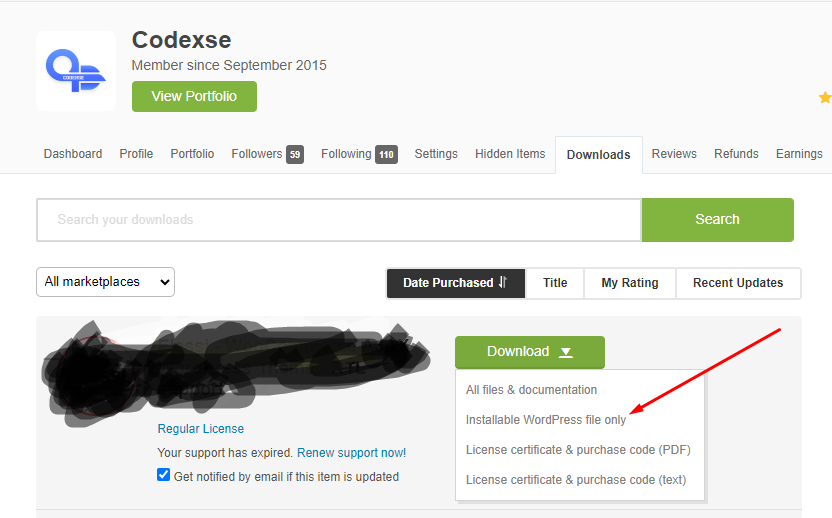
Once you purchase the theme on ThemeForest, follow these steps to download it:
- Log in to your Envato (ThemeForest) account.
- Navigate to the ThemeForest Downloads section.
- Locate your purchased theme and click the “Download” button next to its name.
- In the dropdown menu, choose between:
- All Files & Documentation: Includes the installable WordPress file, documentation, and other assets (e.g., PSD files).
- Installable WordPress File Only: Contains just the theme zip file. To install via FTP, unzip the file first and use the extracted folder.